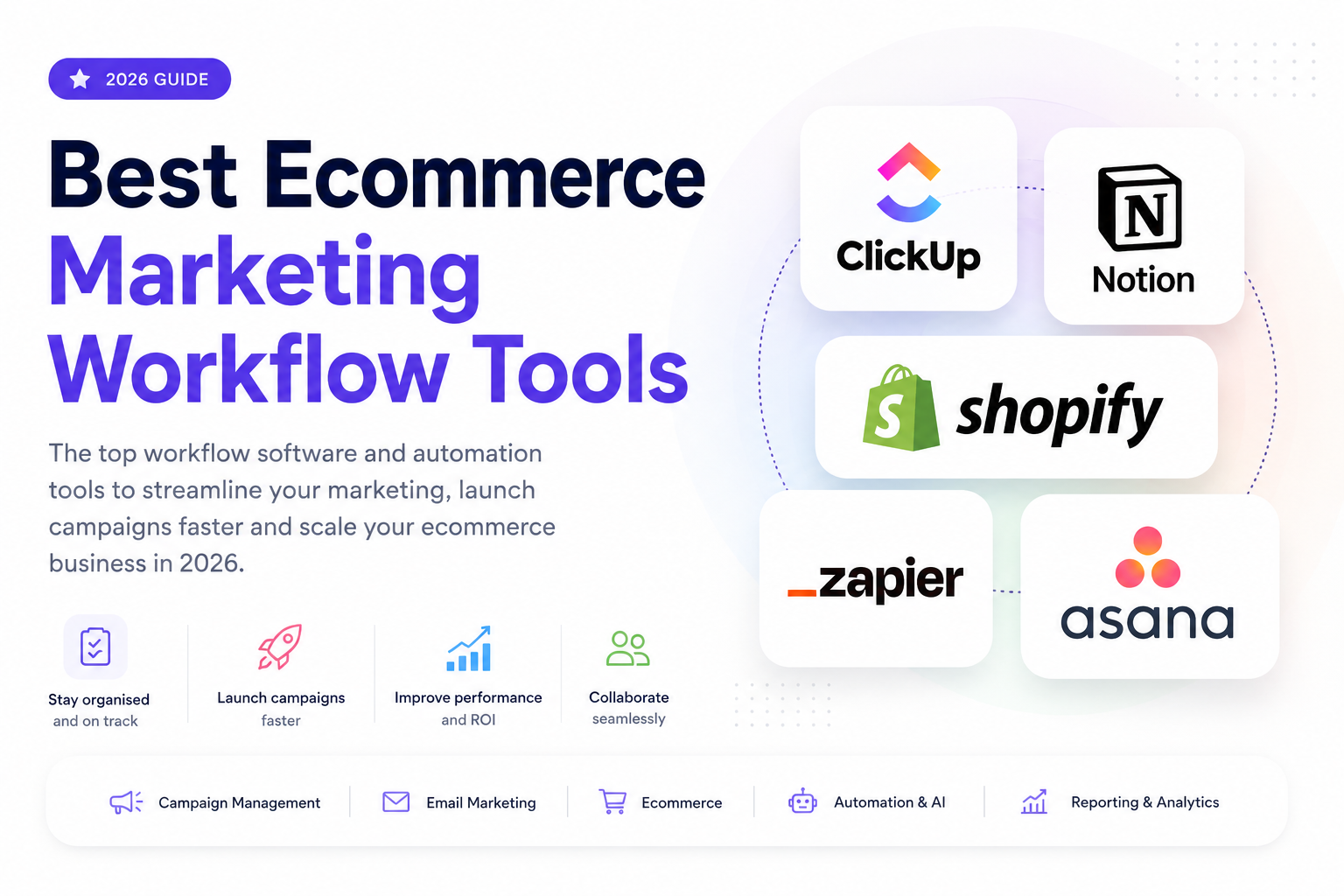
Running an ecommerce business today involves far more than launching a few Meta ads or sending the occasional email campaign. As your business grows, so does the number of platforms, processes and people involved in getting products in front of customers.
Without clear workflows, it's easy for tasks to fall through the cracks. Campaigns launch late, product pages don't get updated, creative approvals become bottlenecks, and teams spend more time chasing updates than actually improving performance. Instead of following a structured marketing system, businesses end up reacting to problems as they arise.
That's where marketing workflow tools come in.
The right software helps organise projects, automate repetitive tasks, improve collaboration and ensure every campaign follows a consistent process from planning through to launch and optimisation.
In this guide, we'll explore the best ecommerce marketing workflow tools available in 2026, explain what each one does, compare their strengths and weaknesses, and help you choose the right solution based on the size of your business and the way your team works. Whether you're a solo Shopify store owner or managing a large ecommerce marketing department, you'll find tools that can help you work more efficiently and scale with confidence.
A marketing workflow tool is software that helps businesses plan, organise and manage the processes involved in executing marketing campaigns. Rather than relying on spreadsheets, emails or ingstant messages to keep everyone aligned, these tools provide a central place where tasks, deadlines, approvals and responsibilities can be managed efficiently.
In ecommerce, marketing often involves multiple teams and platforms working together. A single product launch, for example, might require input from designers, copywriters, paid advertising specialists, email marketers and web developers. A marketing workflow tool ensures everyone knows what needs to be done, when it needs to be completed, and who is responsible for each task.
Why Do Businesses Use Marketing Workflow Tools?
As an ecommerce business grows, so does the complexity of its marketing operations. Without a clear system in place, projects can quickly become disorganised, leading to missed deadlines, duplicated work and inconsistent campaigns.
Marketing workflow software helps businesses:
Rather than starting every campaign from scratch, businesses can build repeatable workflows that save time and reduce costly mistakes.
Although the terms are often used interchangeably, there is an important difference between project management software and marketing workflow software.
Project management software focuses on organising tasks, deadlines and team collaboration. It answers questions such as:
Popular examples include Asana, ClickUp and Trello.
Marketing workflow software goes a step further by helping businesses standardise and automate marketing processes. Many workflow tools include features such as automated task creation, approval stages, integrations with marketing platforms, and recurring campaign templates.
For example, instead of manually creating tasks every time a new product launches, a workflow tool can automatically generate the entire marketing checklist and assign each task to the appropriate team member.
Many modern platforms combine both project management and workflow automation, giving businesses the best of both worlds.
Example of an Ecommerce Marketing Workflow
To understand how workflow software works in practice, consider a typical ecommerce product launch:
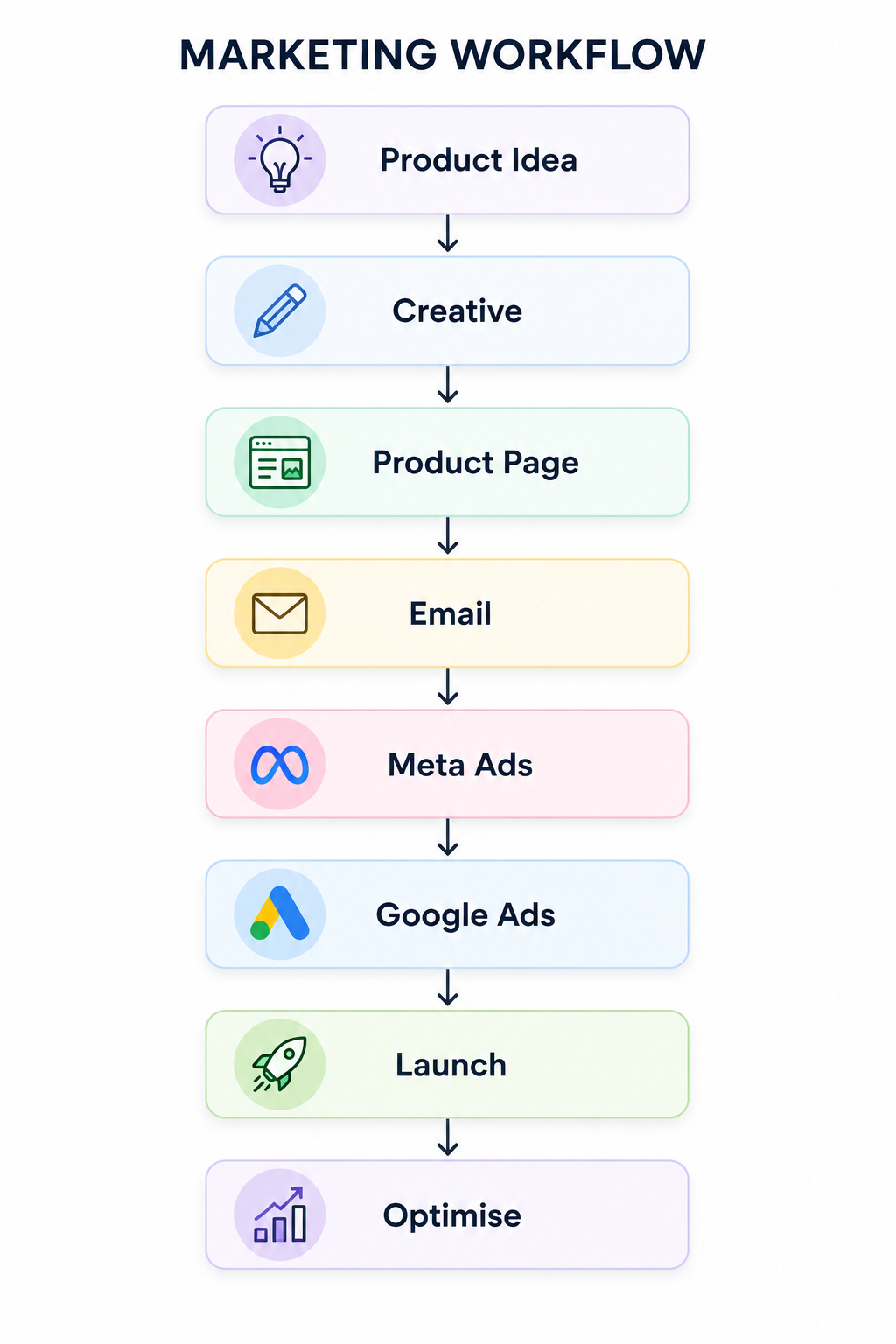
Without a structured workflow, each of these steps can easily become delayed or overlooked. Marketing workflow tools ensure every stage is completed in the correct order, helping ecommerce businesses launch campaigns more efficiently and consistently while reducing the risk of errors.
Why Ecommerce Brands Need Marketing Workflow Software
As ecommerce businesses grow, so does the complexity of their marketing. What starts as a handful of weekly tasks can quickly evolve into dozens of campaigns running simultaneously across multiple channels, involving designers, marketers, developers and customer support teams.
Without a structured workflow, it's easy for small issues to snowball into costly mistakes.
Missed Product Launches
Launching a new product often involves numerous moving parts, from creating product pages and writing ad copy to scheduling emails and publishing social media content. If just one task is delayed, the entire launch can be pushed back or go live incomplete, potentially costing sales and damaging customer confidence.
Duplicated Work
Without clear task ownership, team members can unknowingly work on the same project at the same time. Two designers may create similar graphics, multiple people might edit the same product description, or duplicate reports may be produced. This wastes valuable time that could be spent on activities that drive growth.
Inconsistent Creative Assets
Your brand should look and sound consistent wherever customers encounter it. Without an organised workflow, it's common for outdated logos, old product images or conflicting messaging to appear across advertising campaigns, email marketing and your website.
Poor Communication
Marketing projects often require input from several departments. If updates are spread across emails, messaging apps and spreadsheets, important information can easily be missed. Marketing workflow software provides a central hub where everyone can see project progress, leave feedback and collaborate more effectively.
Forgotten Email Campaigns
Email marketing remains one of the highest-performing channels for ecommerce businesses, yet it's surprisingly easy for campaigns to be forgotten during busy periods. Whether it's a product launch announcement, abandoned cart sequence or promotional offer, missing an email campaign can result in lost revenue and missed opportunities to engage customers.
Slow Approval Processes
Many campaigns require approval from managers, clients or stakeholders before they can be published. Without a defined approval process, projects often stall while teams wait for feedback or search through email chains for the latest version of a document or design.
Disconnected Marketing Data
Modern ecommerce brands rely on a wide range of platforms, including Shopify, Google Ads, Meta Ads, Klaviyo, Google Analytics and customer support software. When these systems operate independently, it's much harder to understand campaign performance, identify problems and make informed marketing decisions.
The Benefits of Marketing Workflow Software
Implementing the right marketing workflow software doesn't just help teams stay organised—it can have a measurable impact on business performance.
By creating repeatable processes and improving collaboration, ecommerce brands can benefit from:
Ultimately, marketing workflow software allows ecommerce businesses to spend less time managing projects and more time focusing on what matters most: growing sales, improving customer experiences and scaling efficiently.
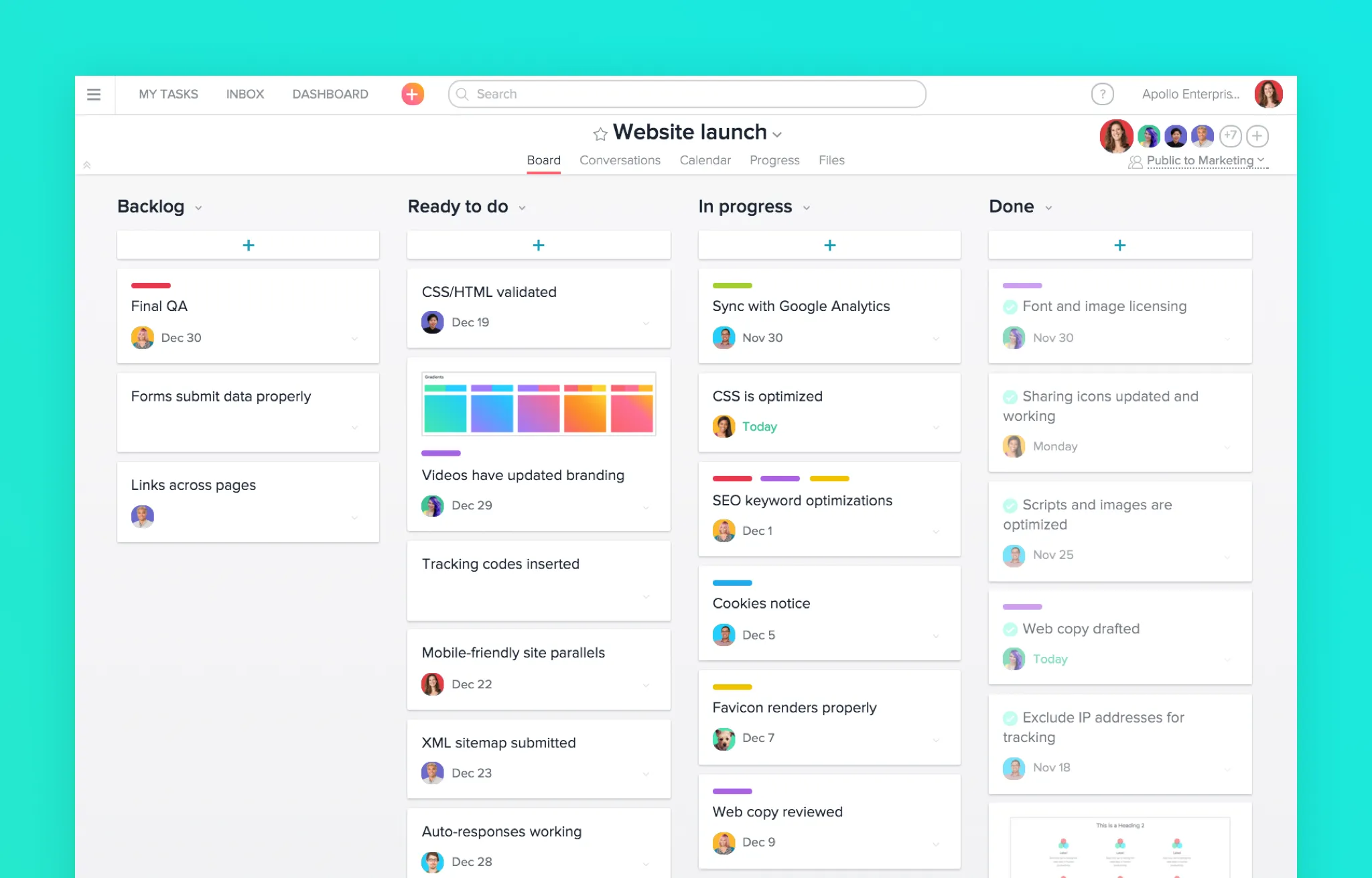
The best marketing workflow tool for your business depends on your team size, budget and the complexity of your marketing operations. Some platforms focus on project management, while others specialise in workflow automation or connecting multiple applications together.
Below are some of the best marketing workflow tools for ecommerce businesses in 2026.
Best For
Growing ecommerce marketing teams that need to manage multiple campaigns across different departments.
Pros
Cons
Pricing
Free plan available. Paid plans start from approximately £8–10 per user/month.
Integrations
Best Use Cases
Asana is ideal for planning product launches, coordinating paid advertising campaigns, organising content calendars and managing cross-functional marketing teams.
Best For
Businesses wanting an all-in-one platform for projects, documentation and workflow management.
Pros
Cons
Pricing
Free plan available. Paid plans start from around £6–8 per user/month.
Integrations
Best Use Cases
Perfect for ecommerce businesses that want to manage marketing campaigns, SOPs, product launches and internal documentation from one platform.
Best For
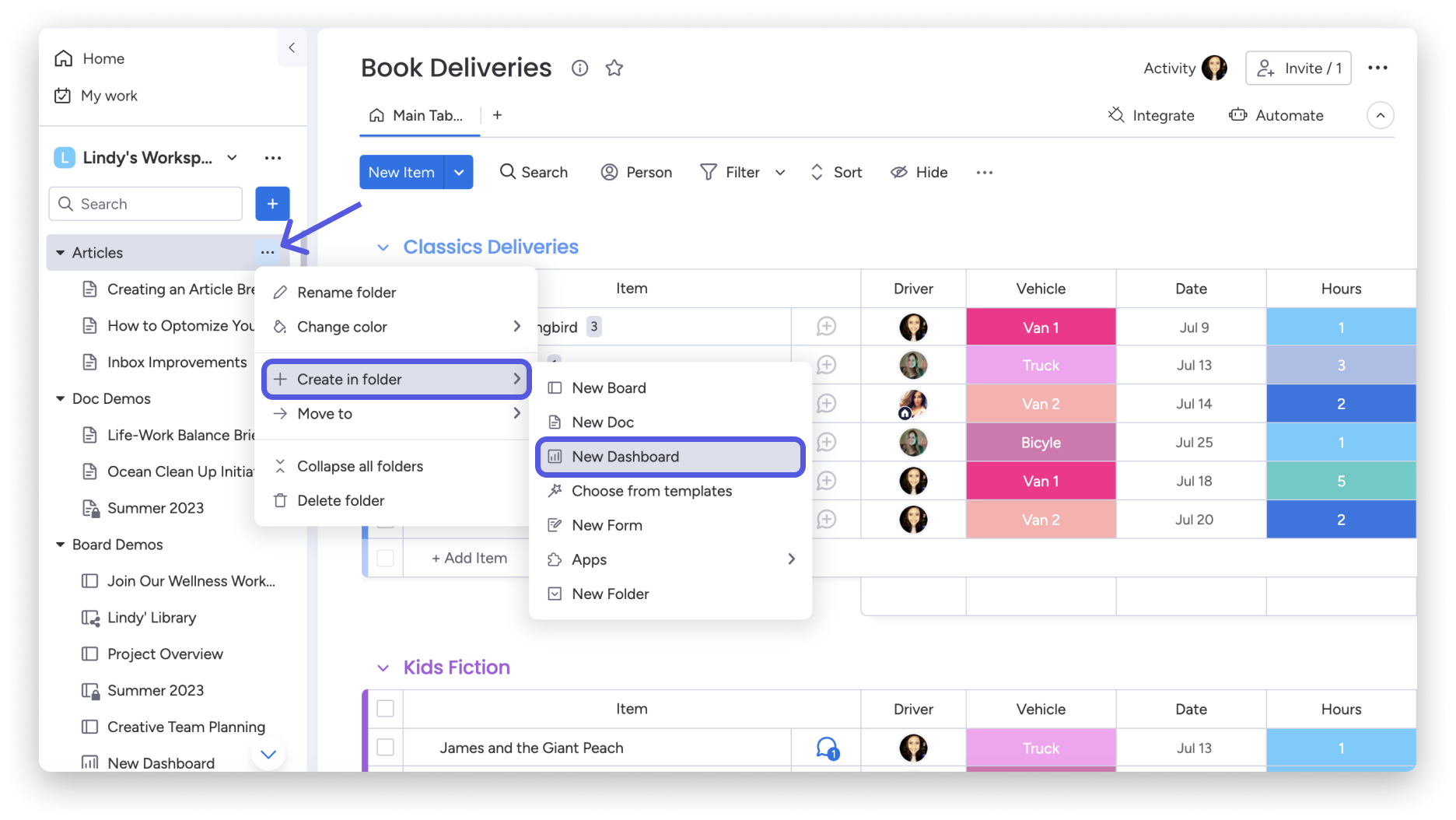
Medium to large ecommerce businesses managing multiple marketing projects simultaneously.
Pros
Cons
Pricing
Paid plans typically start from around £8–10 per user/month.
Integrations
Best Use Cases
Ideal for coordinating larger marketing departments, agency workflows and product launch schedules.
Best For
Small ecommerce teams looking for a flexible workspace to organise marketing operations.
Pros
Cons
Pricing
Free plan available. Paid plans start from around £8 per user/month.
Integrations
Best Use Cases
Excellent for marketing playbooks, campaign planning, SOPs, content calendars and internal documentation.
Best For
Solo entrepreneurs and smaller ecommerce stores.
Pros
Cons
Pricing
Free plan available. Paid plans start from approximately £5 per user/month.
Integrations
Best Use Cases
Well suited to simple campaign planning, weekly marketing tasks and content scheduling.
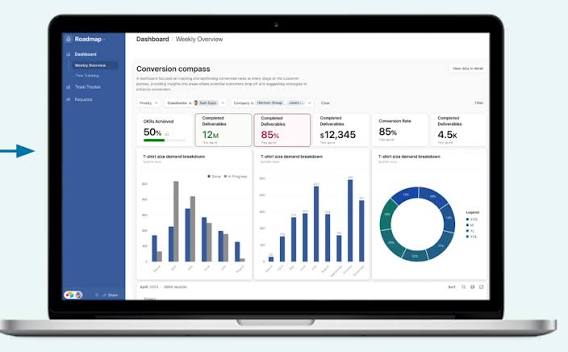
Best For
Marketing teams managing large amounts of structured data.
Pros
Cons
Pricing
Free plan available. Paid plans start from around £16 per user/month.
Integrations
Best Use Cases
Great for managing product catalogues, marketing asset libraries and editorial calendars.
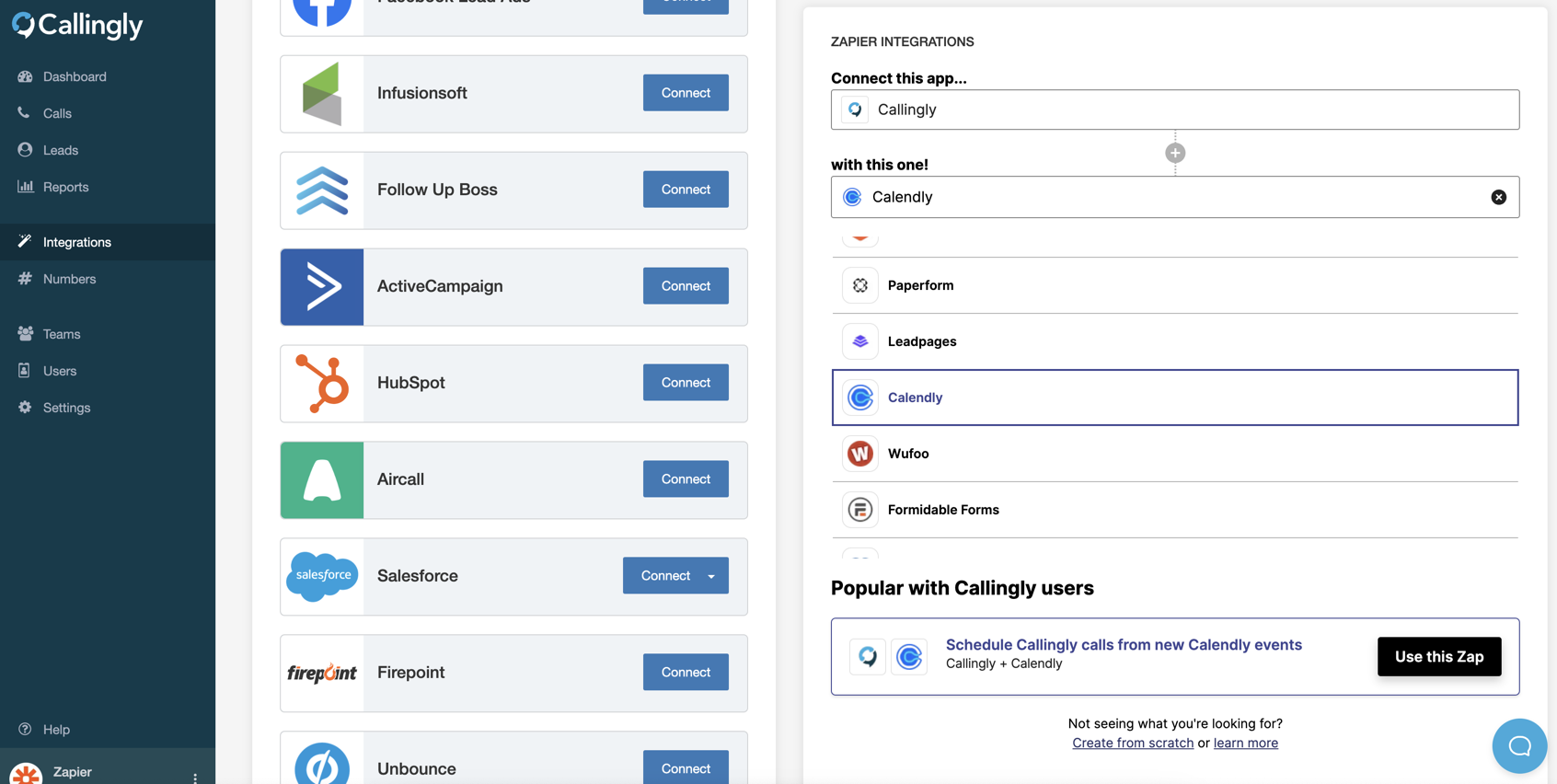
Best For
Automating repetitive marketing tasks between different software platforms.
Pros
Cons
Pricing
Free plan available. Paid plans start from around £15–20 per month.
Integrations
Over 7,000 applications, including:
Best Use Cases
Automatically creating tasks, syncing customer information, sending notifications and connecting ecommerce software.
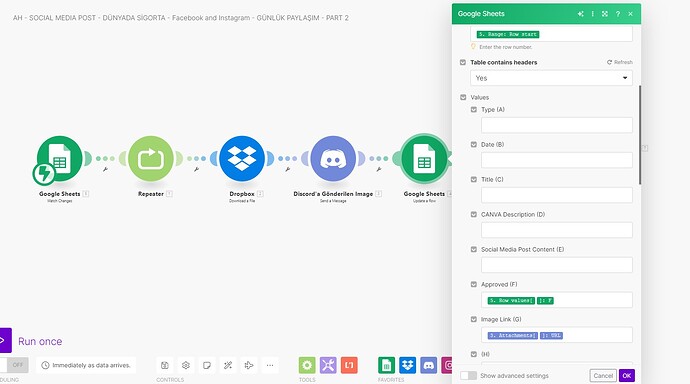
Best For
Businesses requiring advanced workflow automation.
Pros
Cons
Pricing
Free plan available. Paid plans start from approximately £8–10 per month.
Integrations
Best Use Cases
Building complex marketing automations involving multiple systems, AI tools and ecommerce platforms.
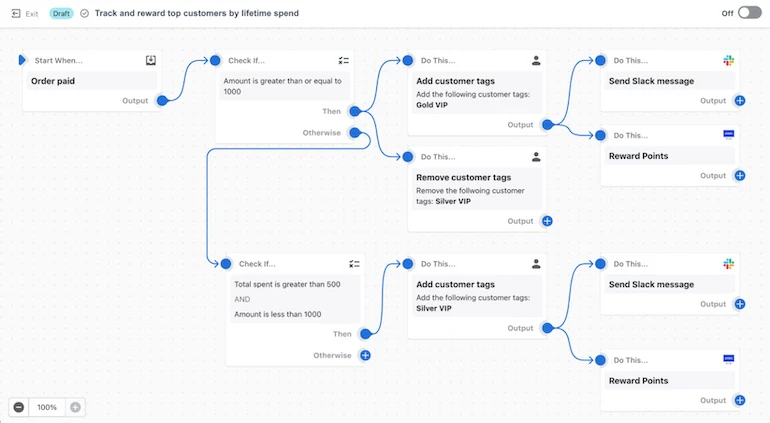
Best For
Shopify merchants looking to automate store operations without relying on third-party software.
Pros
Cons
Pricing
Included with eligible Shopify plans.
Integrations
Best Use Cases
Automating inventory updates, customer tagging, order management and internal marketing processes.
Our Recommendation: If you're just starting out, ClickUp offers the best balance of features, flexibility and value. For larger marketing teams, Asana and Monday.com excel at coordinating complex campaigns, while Zapier, Make and Shopify Flow are excellent additions for automating repetitive marketing tasks and reducing manual work. This combination gives ecommerce businesses a scalable workflow system that can grow alongside them.
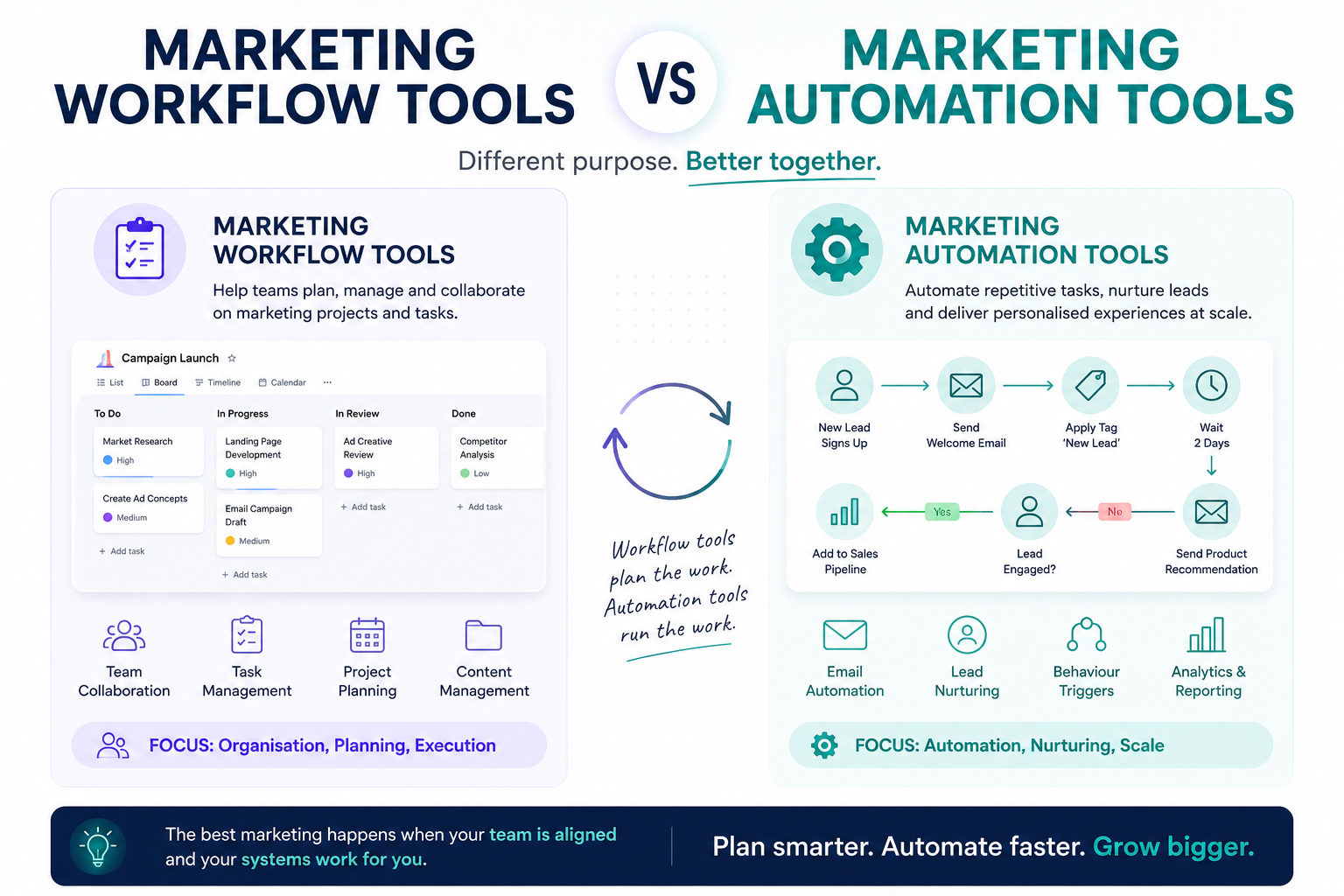
The terms marketing workflow tools and marketing automation tools are often used interchangeably, but they serve different purposes. While both help ecommerce businesses become more efficient, they solve different problems.
A simple way to think about it is this:
Many successful ecommerce businesses use both together to create a streamlined marketing operation.
Marketing workflow tools are designed to help teams plan, organise and track marketing projects. They ensure everyone knows what needs to be done, who is responsible for each task, and when deadlines need to be met.
These platforms improve collaboration and visibility, making it easier to manage campaigns from initial planning through to launch.
Common marketing workflow tools include:
For example, a workflow tool might assign tasks for creating product photography, writing ad copy, designing email graphics and publishing a landing page, while allowing managers to track progress throughout the project.
Marketing automation tools focus on reducing manual work by automatically performing repetitive tasks once predefined conditions are met.
Instead of assigning tasks to people, automation software carries out those tasks on your behalf.
Common examples include:
For example, an automation might:
These automations save time, reduce manual errors and ensure important processes happen consistently.
There's no single marketing workflow tool that's right for every ecommerce business. The best choice depends on the size of your team, the complexity of your marketing activities and your budget.
Here are our recommendations based on different stages of business growth.
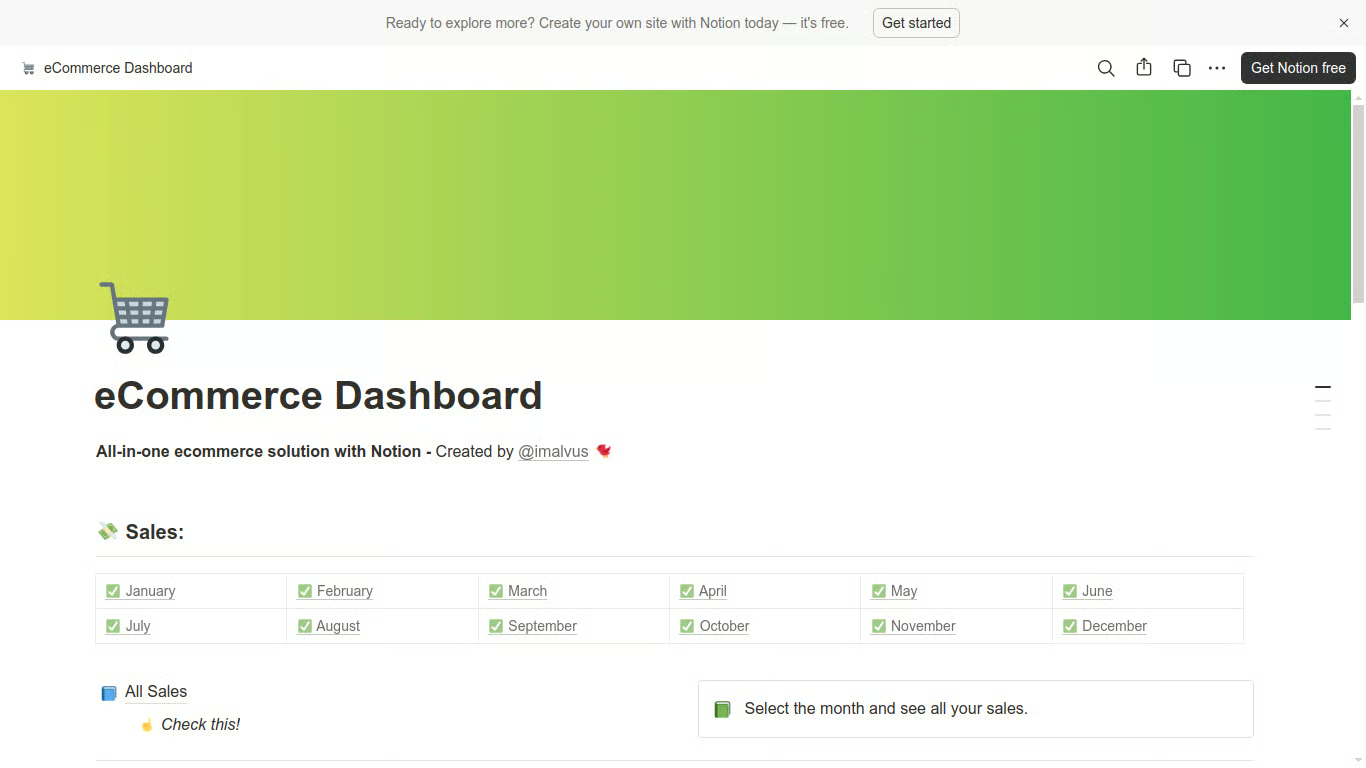
If you're running an ecommerce business on your own, simplicity is key. Notion provides an affordable and highly flexible workspace where you can organise content calendars, product launches, marketing ideas and standard operating procedures without feeling overwhelmed by unnecessary features.
It's particularly useful if you're wearing multiple hats and need one place to keep everything organised.
Best for:
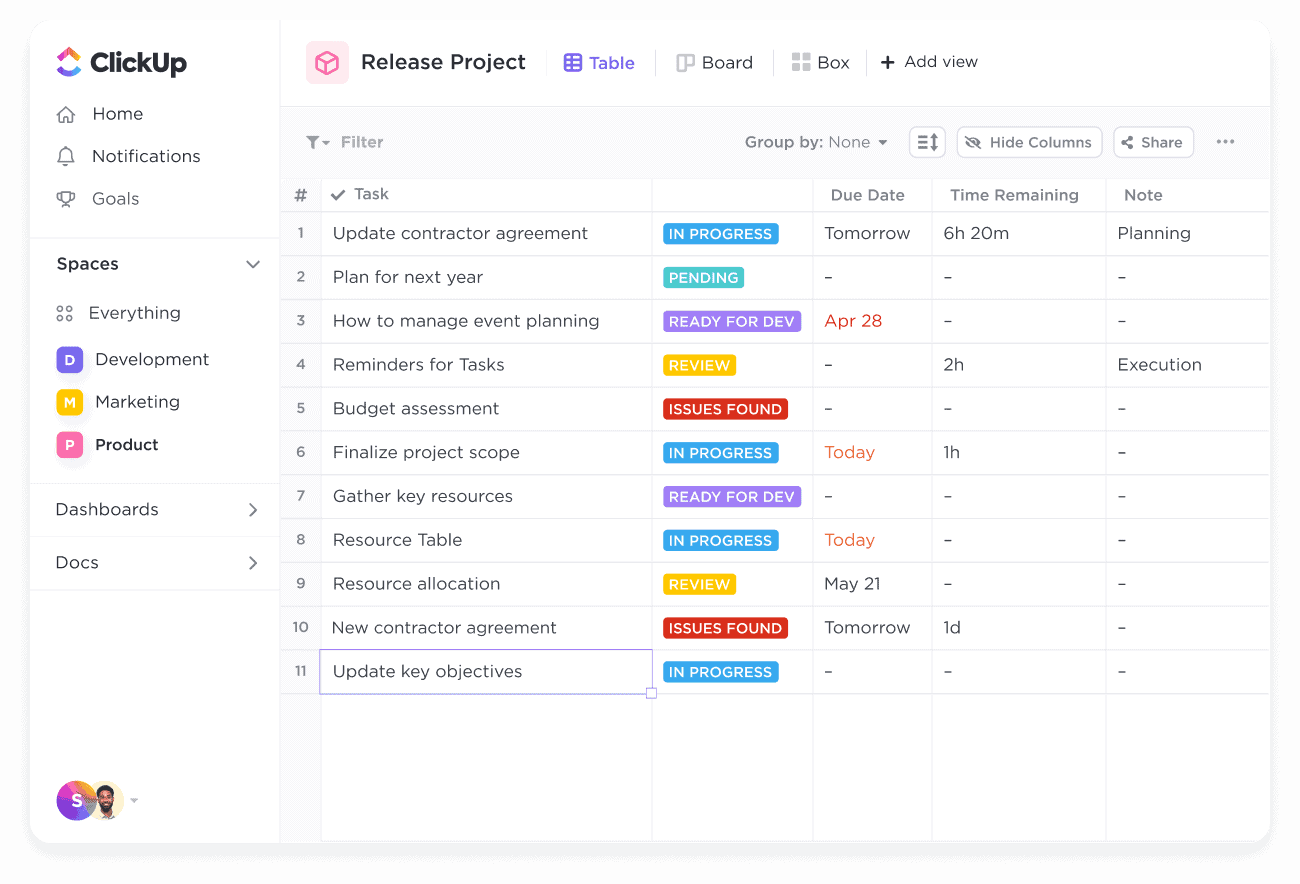
Once you have a few people working on marketing, communication and accountability become increasingly important. ClickUp offers an excellent balance between project management, documentation and workflow automation, making it one of the best all-round platforms for growing ecommerce businesses.
It allows team members to collaborate, track progress and automate repetitive tasks without requiring multiple separate tools.
Best for:
As marketing operations become more complex, having structured workflows becomes essential. Asana excels at managing larger campaigns involving multiple departments, helping businesses keep projects moving while maintaining clear visibility over deadlines and responsibilities.
Its timeline view, recurring task templates and reporting tools make it particularly well suited to businesses scaling their advertising and ecommerce operations.
Best for:
Larger ecommerce businesses often require more advanced workflows, approval processes and reporting capabilities.
Monday.com provides highly customisable workflows with powerful dashboards, making it a popular choice for enterprise marketing teams. Jira, meanwhile, is better suited to organisations with significant technical or development requirements, particularly where marketing and software teams work closely together.
Best for:
Not every marketing workflow tool offers the same capabilities. Before choosing a platform, it's worth considering which features will have the biggest impact on your team's productivity and long-term growth.
Task Management
At its core, every workflow platform should make it easy to create tasks, assign responsibilities, set deadlines and track progress. Clear task management helps ensure nothing falls through the cracks.
Workflow Automation
Automation reduces manual work by automatically creating tasks, sending reminders or triggering actions based on predefined rules. This can save countless hours as your business grows.
Templates
Campaign templates allow you to repeat successful processes without starting from scratch each time. Whether you're launching a new product or running a seasonal promotion, templates improve consistency and save time.
AI Features
Many modern workflow platforms now include AI tools that can generate task descriptions, summarise meetings, suggest project plans and automate administrative work, allowing teams to focus on more strategic activities.
Calendar View
A shared marketing calendar provides a clear overview of upcoming campaigns, product launches, email schedules and content publishing dates, helping teams plan ahead and avoid conflicts.
Kanban Boards
Kanban boards offer a visual way to manage work by moving tasks through different stages, such as To Do, In Progress and Completed. They're particularly useful for content creation and campaign management.
Gantt Charts
For larger projects involving multiple dependencies, Gantt charts provide a timeline view that helps teams understand how different tasks fit together and identify potential bottlenecks before they become problems.
Dashboards
Custom dashboards bring together important project information in one place, allowing managers to monitor deadlines, workloads, campaign progress and overall team performance.
Integrations
The best workflow software integrates seamlessly with the tools you already use, such as Shopify, Google Ads, Meta Ads, Klaviyo, Slack, Google Drive and CRM platforms. Strong integrations reduce manual data entry and improve efficiency.
Mobile App
Marketing doesn't always happen at a desk. A well-designed mobile app allows you to review projects, approve work, respond to comments and monitor progress while you're away from the office.
Reporting and Analytics
Built-in reporting helps identify bottlenecks, measure team productivity and track project performance over time. This makes it easier to continuously improve your marketing processes and allocate resources more effectively.
Choosing the Right Feature Set
While it's tempting to choose the platform with the longest list of features, the best marketing workflow tool is the one your team will actually use consistently. Start by identifying your biggest operational challenges, then select software that solves those problems without adding unnecessary complexity. As your ecommerce business grows, your workflow platform should be able to scale alongside it, supporting larger teams, more campaigns and increasingly sophisticated marketing operations.
To see the value of marketing workflow software in practice, let's look at a typical ecommerce product launch.
A successful launch isn't just about making a product available on your website. It requires multiple teams and platforms to work together, often within tight deadlines. Without a clear workflow, it's easy for important tasks to be delayed or overlooked.
A structured marketing workflow ensures every stage is completed in the correct order.
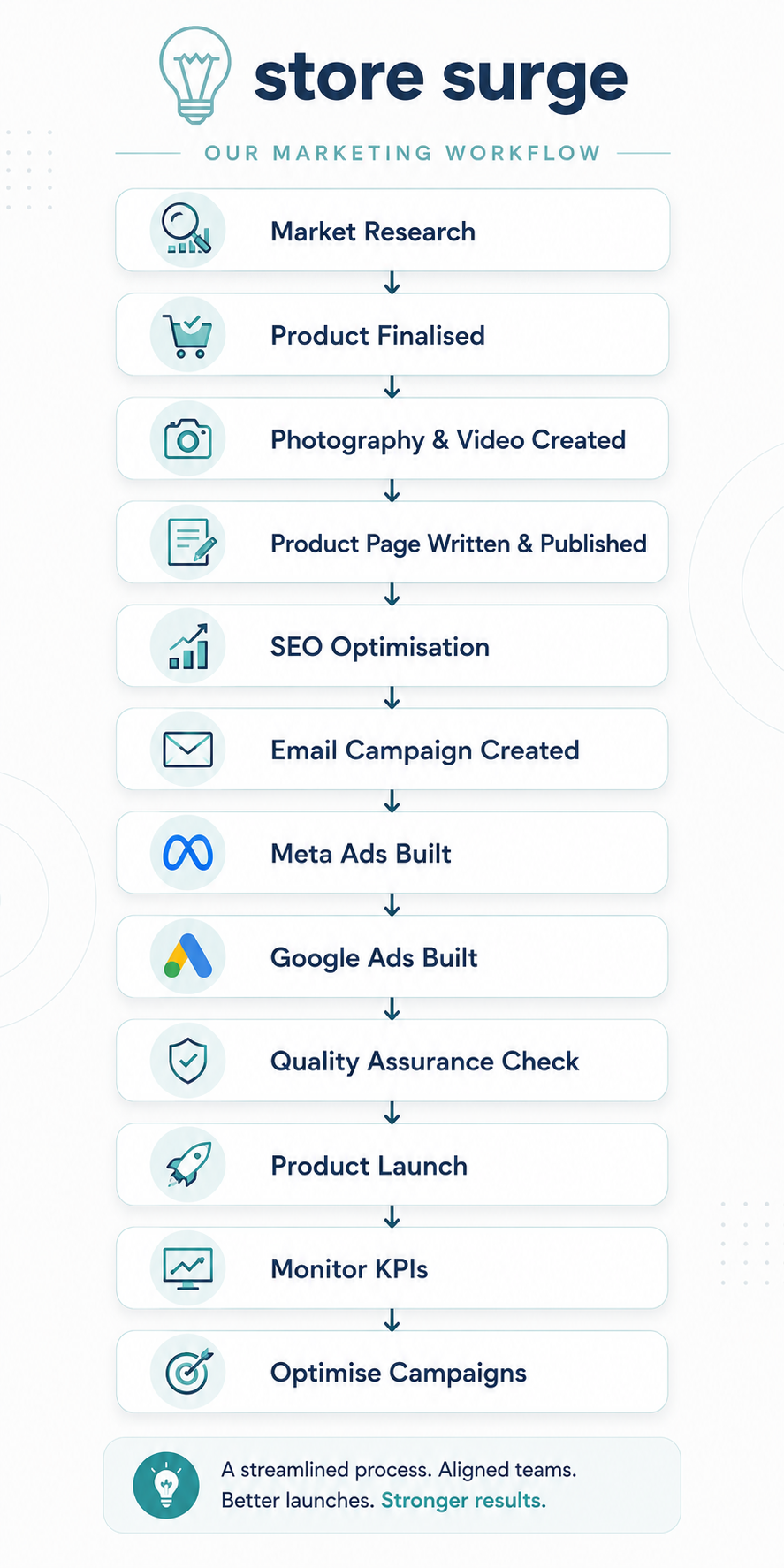
Step 1: Market Research
Before any marketing begins, successful ecommerce brands validate demand. This might involve analysing competitors, researching keywords, identifying customer pain points and deciding how the new product will be positioned.
Step 2: Product Photography and Creative Production
Once the product is ready, photography, video content and ad creatives are produced. These assets are often needed across your website, Meta Ads, Google Ads, email marketing and social media.
Step 3: Product Page Creation
The Shopify product page is written, designed and published. This includes product descriptions, images, FAQs, trust signals and clear calls to action.
Step 4: SEO Optimisation
Before launch, the product page is optimised for search engines by improving page titles, meta descriptions, headings, internal links and relevant keywords to maximise organic visibility.
Step 5: Email Marketing
Launch emails are designed and scheduled within platforms such as Klaviyo. This may include VIP early access, customer announcements, abandoned browse flows and post-purchase automations.
Step 6: Paid Advertising
Meta Ads and Google Ads campaigns are created, reviewed and scheduled. Budgets, audiences, tracking and creative assets are checked before launch.
Step 7: Quality Assurance
Before the campaign goes live, everything is reviewed to ensure links work correctly, tracking is firing, product feeds are updated and creative assets display properly across devices.
Step 8: Launch
With every task completed, the campaign goes live across all marketing channels simultaneously.
Step 9: Review Performance
Once traffic begins arriving, key performance indicators (KPIs) are monitored, including:
Step 10: Continuous Optimisation
The best ecommerce brands don't stop once a campaign launches. They continually test creatives, optimise landing pages, refine audiences and improve campaign performance based on real data.
Using a marketing workflow tool ensures every one of these steps happens consistently, helping teams launch faster, reduce mistakes and achieve better results.
What is a marketing workflow tool?
A marketing workflow tool is software that helps businesses organise, manage and track marketing activities. It allows teams to assign tasks, set deadlines, monitor progress and standardise repeatable processes, making campaigns more efficient and reducing the likelihood of errors.
What is marketing workflow management software?
Marketing workflow management software is designed to oversee the entire lifecycle of a marketing project, from planning and content creation through to campaign launch and performance analysis. Many platforms also include automation features, reporting dashboards and integrations with tools such as Shopify, Google Ads and Klaviyo.
What is the difference between CRM software and workflow software?
Although they often work together, CRM (Customer Relationship Management) software and workflow software have different purposes.
A CRM, such as HubSpot or Salesforce, is designed to manage customer relationships, sales opportunities and contact information.
Workflow software, on the other hand, focuses on organising internal projects and processes. It helps marketing teams coordinate tasks, collaborate efficiently and ensure campaigns are completed on time.
Is Trello a marketing workflow tool?
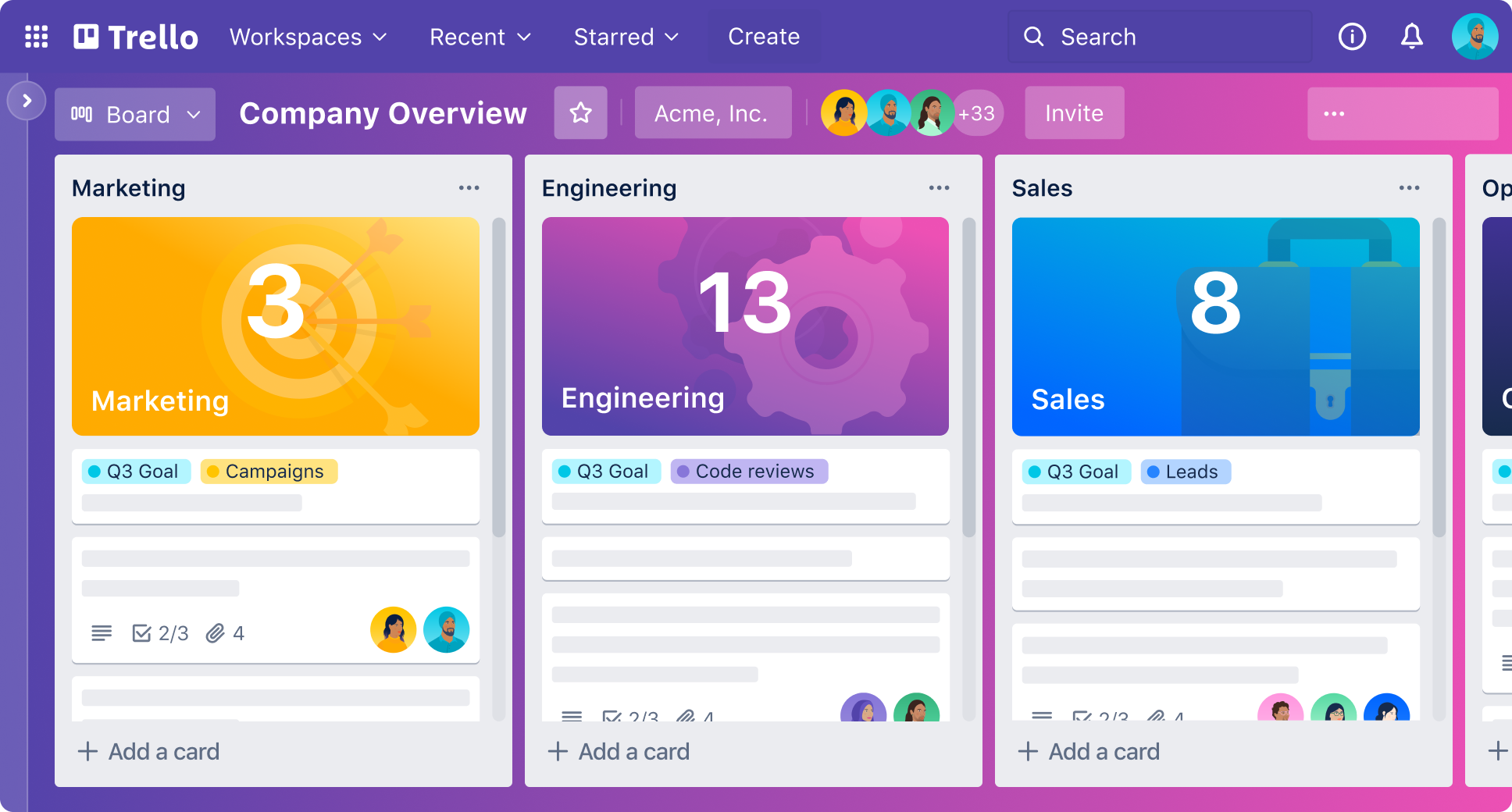
Yes. Trello is a popular marketing workflow tool, particularly for small businesses and solo entrepreneurs. Its simple Kanban-style boards make it easy to organise marketing campaigns, content calendars and product launches.
However, larger ecommerce businesses may eventually require more advanced features such as automation, reporting and resource management, which are available in platforms like ClickUp or Asana.
Is Shopify Flow enough for ecommerce businesses?
Shopify Flow is an excellent automation tool, but it isn't a complete marketing workflow solution.
It can automate many repetitive tasks within Shopify, such as customer tagging, inventory updates and order management. However, it doesn't replace project management software that helps teams plan campaigns, assign responsibilities and track progress.
Many ecommerce businesses use Shopify Flow alongside workflow platforms like Asana or ClickUp.
Which workflow tool is best for ecommerce?
The best workflow tool depends on your business size and requirements.
Rather than looking for the platform with the most features, focus on choosing one that fits your team's way of working.
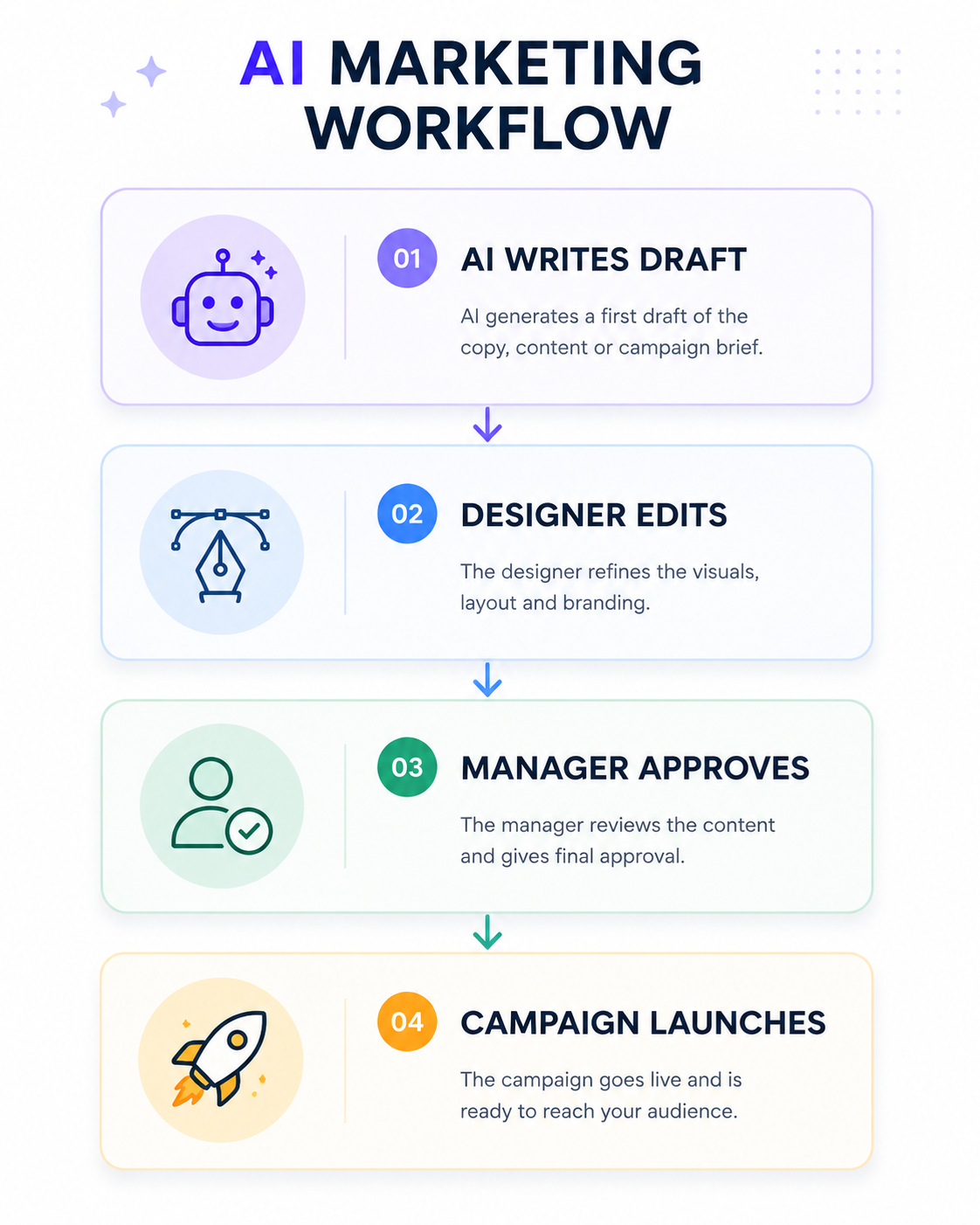
Yes. AI is becoming an increasingly valuable part of modern marketing workflows.
Many platforms now use AI to:
When combined with automation tools like Zapier, Make or Shopify Flow, AI can significantly reduce manual work and improve overall efficiency.
Pricing varies depending on the platform and the size of your team.
Many providers offer free plans with basic functionality, making them suitable for startups and small businesses.
Paid plans typically range from £5–£15 per user per month, while enterprise solutions with advanced automation, reporting and security features can cost considerably more.
Before choosing a platform, consider the total value it provides. Saving just a few hours each week or preventing a single failed product launch can easily justify the investment.
Should I choose workflow software or automation software?
For most ecommerce businesses, the best solution is to use both.
Workflow software helps your team stay organised and ensures projects are completed on time, while automation software eliminates repetitive manual tasks behind the scenes.
Combining platforms such as ClickUp with Shopify Flow, Klaviyo or Zapier creates a powerful marketing system that improves productivity, reduces errors and allows your team to focus on growing the business rather than managing processes.
Choosing the right marketing workflow tool can have a significant impact on how efficiently your ecommerce business operates. As your marketing becomes more complex, having structured systems in place helps ensure campaigns are delivered on time, teams stay aligned and opportunities aren't missed.
The best solution ultimately depends on your team size, budget and the complexity of your marketing operations. Solo founders and smaller ecommerce businesses may find that Notion or ClickUp provide everything they need to stay organised, while growing brands often benefit from the more advanced project management capabilities of Asana or Monday.com. Pairing these platforms with automation tools such as Zapier, Make or Shopify Flow can further streamline repetitive tasks and improve efficiency.
Remember, the goal isn't simply to organise tasks—it's to build a repeatable marketing system that allows your business to launch campaigns faster, collaborate more effectively and continually optimise performance.
If you're looking to improve your ecommerce marketing operations, start by identifying where your current processes break down. Whether it's missed deadlines, inconsistent campaigns or too much manual work, the right workflow software can help you create scalable systems that support long-term growth.
At Store Surge, we help ecommerce brands build efficient marketing systems that combine paid advertising, Shopify optimisation, email marketing, AI and workflow automation to drive sustainable growth. If you'd like help creating a more streamlined marketing operation, we'd be happy to discuss how we can support your business.
